Author Archives: Patrick

t-test…ANOVA…It’s linear regression all the way down!

I had someone ask me a question the other day about t-tests. The question was regarding how to get the residuals from a t-test. The thing we need to remember about t-tests and ANOVA is that they are general linear models. As such, an easier way of thinking about them is that they are a different way of looking at a regression output. In this sense, a t-test is just a simple linear regression with a single categorical predictor (independent) variable  that has two levels (e.g., Male & Female) while ANOVA is a simple linear regression with a single predictor variable that has more than two levels (e.g., Cat, Dog, Fish).

Let’s look at an example!

Complete code is available on my GITHUB page.

Load Data

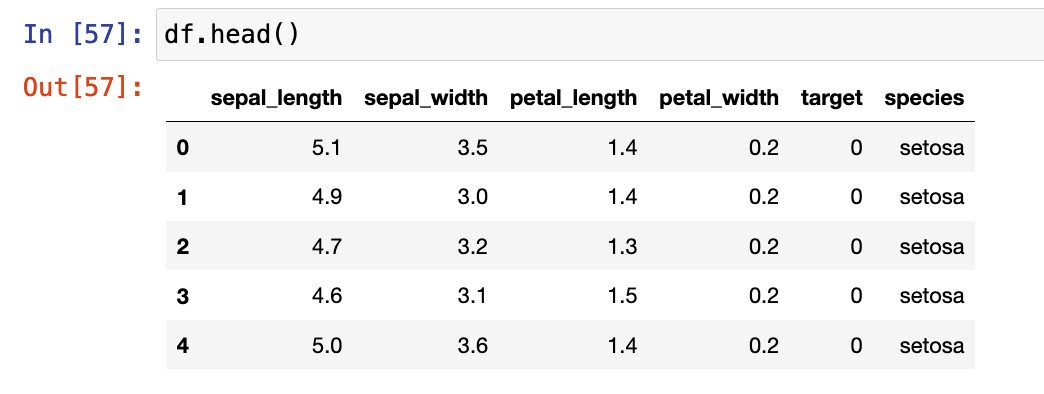
The data we will use is the iris data set, available in the numpy library.

Exploratory Data Analysis

The Jupyter Notebook I’ve made available on GITHUB has a number of EDA steps. For this tutorial the variable we will look at is Sepal Length, which appears to different between Species.

T-test

We will start by conducting a t-test. Since a t-test is a comparison of means between two groups, I’ll create a data set with only the setosa and versicolor species.

## get two groups to compare
two_groups = ["setosa", 'versicolor']

## create a data frame of the two groups
df2 = df[df['species'].isin(two_groups)]

First I build the t-test in two common stats libraries in python, statsmodels and scipy.

## t-test in statsmodels.api
smf.stats.ttest_ind(x1 = df2[df['species'] == 'setosa']['sepal_length'],
                    x2 = df2[df['species'] == 'versicolor']['sepal_length'],
                   alternative="two-sided")

## t-test in scipy
stats.ttest_ind(a = df2[df['species'] == 'setosa']['sepal_length'],
                b = df2[df['species'] == 'versicolor']['sepal_length'],
                alternative="two-sided")

Unfortunately, the output of both of these approaches leaves a lot to be desired. They simply return the t-statistics, p-value, and degrees of freedom.

To get a better look at the underlying comparison, I’ll instead fit the t-test using the researchpy library.

## t-test in reserachpy
rp.ttest(group1 = df2[df['species'] == 'setosa']['sepal_length'],
         group2 = df2[df['species'] == 'versicolor']['sepal_length'])

This output is more informative. We can see the summary stats for both groups at the top. the t-test results follow below. We see the observed difference, versicolor has a sepal length 0.93 (5.006 – 5.936) longer that setosa, on average. We also get the degrees of freedom, t-statistic, and p-value, along with several measures of effect size.

Linear Regression

Now that we see what the output looks like, let’s confirm that this is indeed just linear regression!

We fit our model using the statsmodels library.

## Linear model to compare results with t-test (convert the species types of dummy variables)
X = df2[['species']]
X = pd.get_dummies(X['species'], drop_first = True)

y = df2[['sepal_length']]

## add an intercept constant, since it isn't done automatically
X = smf.add_constant(X)

# Build regression model
fit_lm = smf.OLS(y, X).fit()

# Get model output

fit_lm.summary()

Notice that the slope coefficient for versicolor is 0.93, indicating it’s sepal length is, on average, 0.93 greater than setosa’s sepal length. This is the same result we obtained with our t-test above.

The intercept coefficient is 5.006, which means that when versicolor is set to “0” in the model (0 * 0.93 = 0) all we are left with is the intercept, which is the mean value for setosa’s sepal length, the same as we saw in our t-test.

What about the residuals?

The question original question was about residuals from the t-test. Recall, the residuals are the difference between actual/observed value and the predicted value. When we have a simple linear regression with two levels (a t-test) the predicted value is simply the overall mean value for that group.

We can add predictions from the linear regression model into our data set and calculate the residuals, plot the residuals, and then calculate the mean squared error.

## Add the predictions back to the data set
df2['preds'] = fit_lm.predict(X)

## Calculate the residual
resid = df2['sepal_length'] - df2['preds']

## plot the residuals
sns.kdeplot(resid,shade = True)
plt.axvline(x = 0,linewidth=4, linestyle = '--', color='r')

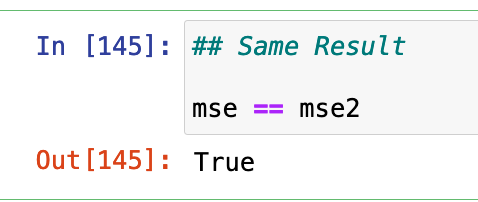
In the code, you will find the same approach taken by just applying the group mean as the “predicted” value, which is the same value that the model predicts. At the bottom of the code, we will find that the outcome of the MSE is the same.

Wrapping Up

In summary, whenever you think t-test or ANOVA, just think linear regression. The intercept will end up reflecting the mean value for the reference class while the coefficient(s) for the other classes of that variable will represent the difference between their mean value and the reference class. If you want to make a comparison to a different reference class, you can change the reference class before specifying your model and you will obtain a different set of coefficients (given that they are compared to a new reference class) but the predicted values, residuals, and MSE will end up being the same.

Again, if you’d like the full code, you can access it HERE.

TidyX Episode 104: TidyX goes on a lubridate

This week, Ellis Hughes and I discuss date objects in R, which can be rather confusing. We talk about what is under the hood of a date object, how to specify them, how to parse them, and how to calculate the difference between them.

If you work with any timestamped data (e.g., GPS, Accelerometer, Force Plate, etc.) this is going to be an episode that you will want to check out as dealing with those pesky date/time columns can be tricky!

To watch the screen cast, CLICK HERE.

To access our code, CLICK HERE.

TidyX Episode 103: GIBBS Sampling

This week Ellis Hughes and I wrap up our Intro to Bayesian Analysis series. Up to this point we’ve been talking about conjugate priors for the binomial distribution, poisson distribution, and normal distribution.

Unfortunately, when using the normal-normal conjugate you need to assume that one of the two distribution parameters (mean or standard deviation) are known and then estimate the other parameter. For example, last episode we assumed the standard deviation was known, allowing us to estimate the mean. This is a problem in situations where you don’t always know what the standard deviation is and, therefore, need to estimate both parameters. For this, we turn to GIBBS sampling. A GIBBS sampler is a Markov Chain Monte Carlo (MCMC) approach to Bayesian inference.

In this episode we will walk through building your own GIBBS sampler, calculating posterior summary statistics, and plotting the posterior samples and trace plots. We wrap up by showing how to use the normpostsim() function from Jim Albert’s {LearnBayes} package, for instances where you don’t want to code up your own GIBBS sampler.

To watch our screen cast, CLICK HERE.

To access the code, CLICK HERE.

First time collecting new data on your team? Bayesian updating can help!

A few weeks ago I was speaking with some athletic trainers and strength coaches who work for a university football team. They asked me the following question:

“We are about to start using GPS to collect data on our team. But we have never collected anything in the past. How do we even start to understand whether the training sessions we are doing are normal or not? Do we need to tell the coach that we have to collect data for a full season before we know anything meaningful?”

This is a fascinating question and it is an issue that we all face at some point in the applied setting. Whenever we start with a new data collection method or a new technology it can be daunting to think about how many observations we need in order to start making sense of our data and establishing what is “normal”.

We always have some knowledge!

My initial reaction to the question was, “Why do you believe that you have NOTHING to make a decision on?”

Sure, you currently have no data on your specific team, but that doesn’t mean that you have no prior knowledge or expectations! This is where Bayes can help us out. We can begin collecting data on day 1, combine it with our prior knowledge, and continually update our knowledge until we get to a point where we have enough data on our own team that we no longer need the prior.

Where does our prior knowledge come from?

Establishing the prior in this case can be done in two ways:

  1. Get some video of practices, sit there and watch a few players in each position group and record, to the best you can estimate, the amount of distance they covered for each rep they perform in each training drill.
  2. Pull some of the prior research on college football and try and make a logical estimation of what you’d assume a college football practice to be with respect to various training metrics (total distance, sprints, high speed running, accelerations, etc).

Option 1 is a little time consuming (though you probably wont need to do as many practices as you think) and probably not the option most people want to hear (Side Note, I’ve done this before and, yes, it does take some time but you learn a good deal about practice by manually notating it. When trying to do total distance always remember that if a WR runs a route they have to always run back to the line of scrimmage once the play is over, so factor that into the distance covered in practice).

Option 2 is reasonably simple. Off the top of my head, the two papers that could be useful here are from DeMartini et al (2011) and Wellman et al (2016). The former quantifies training demands in collegiate football practices while the latter is specific to the quantification of competitive demands during games. To keep things brief for the purposes of this blog post, I’ll stick to total distance. I’ve summarized the findings from these papers in the table below.

Notice that the DeMartini paper uses a broader position classification — Linemen or Non-Linemen. As such, it is important to consider that the mean’s and standard deviations might be influenced by the different ergonomic demands of the groups that have been pooled together. Also, DeMartini’s paper is of practice demands, so the overall total distance may differ compared to what we would see in games, which is what Wellman’s data is showing us. All that aside, we can still use this information to get a general sense for a prior.

Let’s bin the players into groups that compete against each other and therefore share some level of physical attributes.

Rather than getting overly complicated with Markov Chain Monte Carlo, will use normal-normal conjugate (which we discussed in TidyX 102). This approach provides us a with simple shortcut for performing Bayesian inference when dealing with data coming from a normal distribution. To make this approach work, we need three pieces of prior information from our data:

  1. A prior mean (prior mu)
  2. A prior standard deviation for the mean (sigma) which we will convert to precision (1 / sigma^2)
  3. An assumed/known standard deviation for the data

The first two are rather easy to wrap our heads around. We need to establish a reasonable prior estimate for the average total distance and some measure of variability around that mean. The third piece of information is the standard deviation of the data and we need to assume that it is known and fixed.

We are dealing with a Normal distribution, which is a two parameter distribution, possessing a Mean and Standard Deviation. Both of these parameters have variability around them (they have their own measures of center and dispersion). The Mean is what we are trying to figure out for our team, so we set a prior center (mu) and dispersion (sigma) around it. Because we are stating up front that the Standard Deviation for the population is known, we are not concerned with the dispersion around that variable (if we don’t want to make this assumption we will need to resort to an approach that allows us to determine both of these parameters, such as GIBBS sampling).

Setting Priors

Let’s stick with the Skill Positions for the rest of this article. We can take an average of the WR, DB, and RB distances to get a prior mean. The dispersion around this mean is tricky and Wellman’s paper only tells us the total number of athletes in their sample, not the number of athletes per position. From the table above we see that the WR group has a standard deviation of 996. We will make the assumption that there were 5 WR’s that were tracked and thus the standard error of the mean (the dispersion around the mean) ends up being 996 / sqrt(5) = 445. Since we also have DB’s and RB’s in our skill grouping lets just round that up to 500. Finally, just eyeballing the standard deviations in the table above, I set the known SD for the population of skill positions to be 750. My priors for all three of our position groups are as follows:

Bayesian Updating

Looking at the Skill Positions, what we want to do is observe each training session for our team and update our prior knowledge about the normal amount of total running distance we expect skill position players to do given what we know.

First, let’s specify our priors and then create a table of 10 training sessions that we’ve collected on our team. I’ve also created a column that provides a running/cumulative total distance for all of the sessions as we will need this for our normal-normal conjugate equation.

library(tidyverse)

## set a prior for the mean
mu_prior <- 4455
mu_sd <- 500
tau_prior <- 1/mu_sd^2

## To use the normal-normal conjugate we will make an assumption that the standard deviation is "known"
assumed_sd <- 750
assumed_tau <- 1 / assumed_sd^2

## Create a data frame of observations
df <- data.frame(
  training_day = 1:10,
  dist = c(3800, 3250, 3900, 3883, 3650, 3132, 3300, 3705, 3121, 3500)
)

## create a running/cumulative sum of the outcome of interest
df <- df %>%
  mutate(total_dist = cumsum(dist))

df


We discussed the equation for updating our prior mean in TidyX 102. We will convert the standard deviations to precision (1/sd^2) for the equations below. The equation for updating our knowledge about the average running distance in practice for our skill players is as follows:


Because we want to do this in-line, we will want to update our knowledge about our team’s training after every training sessions. As such, the mu_prior and tau_prior will be updated with the row above them and session 1 will be updated with the initial priors. To make this work, we will program a for() loop in R which will update our priors after each new observation.

First, we create a few vectors to store our values. NOTE: The vectors need to be 1 row longer than the number of observations we have in the data set since we will be starting with priors before observing any data.

## Create a vector to store results from the normal-normal conjugate model
N <- length(df$dist) + 1
mu <- c(mu_prior, rep(NA, N - 1))
tau <- c(tau_prior, rep(NA, N - 1))
SD <- c(assumed_sd, rep(NA, N - 1))

Next, we are ready to run our for() loop and then put the output after each observation into the original data set (NOTE: remember to remove the first element of each output vector since it just contains our priors, before observing any data).

## For loop to continuously update the prior with every new observation
for(i in 2:N){

## Set up vectors for the variance, denominator, and newly observed values
numerator <- tau[i - 1] * mu[i - 1] + assumed_tau * df$total_dist[i - 1]
denominator <- tau[i - 1] + df$training_day[i - 1] * assumed_tau

mu[i] <- numerator / denominator
tau[i] <- denominator
SD[i] <- sqrt(1 / denominator)

}

df$mu_posterior <- round(mu[-1], 0)
df$SD_posterior <- round(SD[-1], 0)
df$tau_posterior <- tau[-1]

df

The final row in our data set represents the most up to date knowledge we have about our skill players average total running distance (mu_posterior = 3620 ± 99 yards) at practice. We can compare these results to summary statistics produced on the ten rows of our distance data:

### look at the summary stats after 10 sessions
mean(df$dist)            # Mean
sd(df$dist) / sqrt(10)   # Standard Error of the Mean
sd(df$dist)              # Standard Deviation

The posterior mean (mu_posterior) and posterior SD of the mean (SD_posterior) are relatively similar to what we have observed for our skill players after 10 training sessions (3524 with a standard error of 96). Our assumed SD was rather large to begin with (750) but the standard deviation for our skill players over the 10 observed sessions is much lower (305).

We’ve effectively started with prior knowledge of how much average total distance per training session we expect our skill players to perform and updated that knowledge, after each session, to learn as we go rather than waiting for enough data to begin having discussions with coaches.

Plot the data

Finally, let’s make a plot of the data to see what it looks like.

The grey shaded region shows the 95% confidence intervals around the posterior mean (red line) which are being updated after each training session. Notice that after about 8 sessions the data has nearly converged to something that is bespoke to our team’s skill players. The dashed line represents the average of our skill players’ total distance after 10 sessions. Note that we would not be able to compute this line until after the 10 sessions (for a team that practices 3 times a week, that would take 3 weeks!). Also note that taking a rolling average over such a short time period (e.g., a rolling average of every 3 or 4 sessions) wouldn’t have produced the amount of learning that we were able to obtain with the Bayesian updating approach.

Wrapping Up

After the first 3 sessions we’d be able to inform the coach that our skill players are performing less total running distance than what we initially believed skill players in college football would do, based on prior research. This is neither good nor bad — it just is. It may be more a reflection of the style of practice or the schematics that our coach employs compared to those of the teams that the original research is calculated on.

After about 6 sessions we are able to get a clearer picture of the running demands of our skill players and help the coach make a more informed decision about the total distance being performed by our skill players and hopefully assist with practice planning and weekly periodization. After about 9 or 10 sessions the Bayesian updating approach has pretty much converged with the nuances of our own team and we can begin to use our own data to make informed decisions.

Most importantly, we were able to update our knowledge about the running demands of our skill players, in real time, without waiting several weeks to figure out what training looks like for our team.

How much less running are our skill players doing compared to those of the players reported in the study?

This is a logical next question a coach might ask. For this we’d have to use a different type of Bayesian approach to compare what we are observing to our prior parameters and then estimate the magnitude of the difference. We will save this one for another blog post, though.

Finally, this Bayesian updating approach is not only useful when just starting to collect new data on your team. You can use priors from this season at the start of training camp next season to compare work rates to what you’d believe to be normal for your own team. You can also use this approach for the start of new training phases or for return to play, when a player begins a running program. Any time you start collecting new data on new people there is an opportunity to start out with your prior knowledge and beliefs and update as you go along. You always have some knowledge — usually more than you think!

All of the code for this article is available on my GITHUB page.

Confidence Intervals vs Prediction Intervals – A Frequentist & Bayesian Example

We often construct models for the purpose of estimating some future value or outcome. While point estimates for a forecasting future outcomes are interesting it is important to remember that the future contains a lot of uncertainty. As such, a reflection of this uncertainty is often conveyed using confidence intervals (which make a statement about the uncertainty of a population mean) or prediction intervals (which make a statement about a new/future observation for an individual within the population).

This tutorial will walk through how to calculate confidence intervals and prediction intervals by hand and then show the corresponding R functions for obtaining these values. We will finish by building the same model using a Bayesian framework and calculate the highest posterior density intervals and prediction intervals.

All of code is accessible through my GITHUB page.

Loading Packages & Data

We will use the Lahman baseball data set. For the purposes of this example, we will constrain our data to all MLB seasons after 2009 and players who had at least 250 At Bats in those seasons.

library(tidyverse)
library(broom)
library(Lahman)

theme_set(theme_minimal())

data(Batting)

df <- Batting %>%
  filter(yearID >= 2010,
         AB >= 250)


EDA

Let’s explore the relationship between Hits (H) and Runs Batted In (RBI) in our data set.


cor.test(df$H, df$RBI)

We see a very positive correlation suggesting that as a player gets more hits they tend to also have more RBI’s.

A Simple Regression Model

We will build a simple model that regresses RBI’s on Hits.

rbi_fit <- df %>%
  lm(RBI ~ H, data = .)

tidy(rbi_fit)
confint(rbi_fit)

  • Using tidy() from the broom package, we see that for every additional Hit we estimate a player to increase their RBI, on average, by 0.482.
  • We use the confint() function to produce the confidence intervals around the model coefficients.


Estimating Uncertainty

We can use the above model to forecast the expected number of RBI’s for a player given a number of hits.

For example, a player that has 100 hits would be estimated to produce approximately 49 RBI’s.


hits <- 100
pred_rbi <-  round(rbi_fit$coef[1] + rbi_fit$coef[2]*hits, 1)
pred_rbi

49 RBI’s is rather precise. There is always going to be some uncertainty around a number like this. For example, a player could be a good hitter but play on a team with poor hitters who don’t get on base thus limiting the possibility for all the hits he is getting to lead to RBI’s.

There are two types of questions we may choose to answer around our prediction:

  1. Predict the average RBI’s for players who get 100 hits.
  2. Predict the average RBI’s for a single player who gets 100 hits.

The point estimate, which we calculated above, will be the same for these two questions. Where they will differ is in the uncertainty we have around that estimate. Question 1 is a statement about the population (the average RBIs for all players who had 100 hits) while question 2 is a statement about an individual (the average RBI’s for a single player). Consequently, the confidence interval that we calculate to estimate our uncertainty for question 1 will be smaller than the prediction interval that we calculate to estimate our uncertainty for question 2.

Necessary Information for Computing Confidence Intervals & Prediction Intervals

In order to calculate the confidence interval and prediction interval by hand we need the following pieces of data:

  1. The model degrees of freedom.
  2. A t-critical value corresponding to the level of uncertainty we are interested in (here we will use 95%).
  3. The average number of hits (our independent variable) observed in our data.
  4. The standard deviation of hits observed in our data.
  5. The residual standard error of our model.
  6. The total number of observations in our data set.


## Model degrees of freedom
model_df <- rbi_fit$df.residual

## t-critical value for a 95% level of certainty
level_of_certainty <- 0.95
alpha <- 1 - (1 - level_of_certainty) / 2
t_crit <- qt(p = alpha, df = model_df)
t_crit

## Average &amp; Standard Deviation of Hits
avg_h <- mean(df$H)
sd_h <- sd(df$H)

## Residual Standard Error of the model and Total Number of Observations
rse <- sqrt(sum(rbi_fit$residuals^2) / model_df)
N <- nrow(df)


Calculating the Confidence Interval

We can calculate the 95% confidence level by hand using the following equation:

CL95 = t.crit * rse * sqrt(1/N + ((hits – avg.h)^2) / ((N – 1) * sd.h^2))


## Calculate the 95% Confidence Limits
cl_95 <- t_crit * rse * sqrt(1/N + ((hits - avg_h)^2) / ((N-1) * sd_h^2))
cl_95

## 95% Confidence Interval
low_cl_95 <- round(pred_rbi - cl_95, 1)
high_cl_95 <- round(pred_rbi + cl_95, 1)

paste("100 Hits =", pred_rbi, "±", low_cl_95, "to", high_cl_95, sep = " ")

If we don’t want to calculate the Confidence Interval by hand we can simply use the predict() function in R. We obtain the same result.


round(predict(rbi_fit, newdata = data.frame(H = hits), interval = "confidence", level = 0.95), 1)

Calculating the Prediction Interval

Notice below that the prediction interval uses the same equation as the confidence interval with the exception of adding 1 before 1/N. As such, the prediction interval will be wider as there is more uncertainty when attempting to make a prediction for a single individual within the population.

PI95 = t.crit * rse * sqrt(1 + 1/N + ((hits – avg.h)^2) / ((N – 1) * sd.h^2))


## Calculate the 95% Prediction Limit
pi_95 <- t_crit * rse * sqrt(1 + 1/N + ((hits - avg_h)^2) / ((N-1) * sd_h^2))
pi_95

## Calculate the 95% Prediction interval
low_pi_95 <- round(pred_rbi - pi_95, 1)
high_pi_95 <- round(pred_rbi + pi_95, 1)

paste("100 Hits =", pred_rbi, "±", low_pi_95, "to", high_pi_95, sep = " ")

Again, if we don’t want to do the math by hand, we can simply use the the predict() function and change the interval argument from confidence to prediction.

round(predict(rbi_fit, newdata = data.frame(H = hits), interval = "prediction", level = 0.95), 1)

Visualizing the 95% Confidence Interval and Prediction Interval

Instead of deriving the point estimate, confidence interval, and prediction interval for a single observation of hits, let’s derive them a variety of number of hits and then plot the intervals over our data to see what they look like.

We could simply use ggplot2 to draw a regression line with 95% confidence intervals over top of our data.

Notice how narrow the 95% confidence interval is around the regression line. The lightly grey shaded region is barely visible because the interval is so tight.

While plotting the data like this is simple, it might help us understand what is going on better if we constructed our own data frame of predictions and intervals and then overlaid those onto the original data set.

We begin by creating a data frame that has a single column, H, representing the range of hits observed in our data set. We then can create predictions and our 95% Prediction and Confidence Intervals across the vector of hits data that we just created.

Similar to our first plot, we see that the 95% confidence interval (green) is very tight to the regression line (black). Also, the prediction interval (light blue) is substantially larger than the confidence interval across the entire range of values.


A Bayesian Perspective

We now take a Bayesian approach to constructing intervals. First, we need to specify our regression model. To do so I will be using the rethinking package which serves as a supplement to Richard McElreath’s brilliant textbook, Statistical Rethinking: A Bayesian Course with Examples in R and Stan.

To create our Bayesian model we will need to specify a few priors. Before specifying these, however, I am going to mean center the independent variable, Hits, and create a new variable called hits_c. Doing so helps with interpretation of the model output and it should be noted that the intercept will now reflect the expected value of RBIs when there is an average number of hits (which would be hits_c = 0).

For my priors:

  • Intercept = N(70, 25) — represents my prior belief of the number of RBI’s when a batter has an average number of hits.
  • Beta Coefficient = N(0, 20) — This prior represent the amount of change in RBI for a unit of change in a batter’s hits relative to the average number of hits for the population.
  • Sigma = Unif(0, 20) — this represents my prior for the model standard error.


library(rethinking)

## What is the average number of hits?
mean(df$H)

## Mean center hits
df <- df %>%
  mutate(hits_c = H - mean(H))

## Fit the linear model and specify the priors
rbi_bayes <- map(
  alist(
    RBI ~ dnorm(mu, sigma),     # dependent variable (RBI)
    mu <- a + b*hits_c,				  # linear model regressing RBI on H
    a ~ dnorm(70, 25),          # prior for the intercept
    b ~ dnorm(0, 20),           # prior for the beta coefficient
    sigma ~ dunif(0, 20)),      # prior for the model standard error
  data = df)

## model output
precis(rbi_bayes)

Predict the number of RBI for our batter with 100 hits

The nice part of the Bayesian framework is that we can sample from the posterior distribution of our model and build simulations.

We start by extracting samples from our model fit. We can also then plot these samples and get a clearer understanding of the certainty we have around our model output.


coef_sample <-extract.samples(rbi_bayes)
coef_sample[1:10, ]

## plot the beta coefficient
hist(coef_sample$b,
     main = "Posterior Samples of Hits Centered Coefficient\nFrom Bayesian Model",
     xlab = "Hits Centered Coefficient")


Our batter had 100 hits. Remember, since our model independent variable is now centered to the population mean we will need to center the batter’s 100 hits to that value prior to using our model to predict the number of RBI’s we’d expect. We will then plot the full sample of the predicted number of RBI’s to reflect our uncertainty around the batter’s performance.


## Hypothetical batter with 100 hits
hits <- 100
hits_centered <- hits - mean(df$H)

## Predict RBI total from the model
rbi_sample <- coef_sample$a + coef_sample$b * hits_centered

## Plot the posterior sample
hist(rbi_sample,
     main = "Posterior Prediction of RBI for batter with 100 hits",
     xlab = "Predicted RBI Total")


Highest Density Posterior Interval (HDPI)

We now create an interval around the RBI samples. Bayesians often discuss intervals around a point estimate under various different names (e.g., Credible Intervals, Quantile Intervals, Highest Density Posterior Intervals, etc.). Here, we will use Richard McElreath’s HDPI() function to calculate the highest density posterior interval. I’ll also use qnorm() to show how to obtain the 95% interval of the sample.


## HDPI
round(HPDI(sample = rbi_sample, prob = 0.95), 1)

## 95% Interval
round(qnorm(p = c(0.025, 0.975), mean = mean(rbi_sample), sd = sd(rbi_sample)), 1)

Prediction Interval

We can also use the samples to create a prediction interval for a single batter (remember, this will be larger than the confidence interval). To do so, we first simulate from our Bayesian model for the number of hits the batter had (100) and center that to the population average for hits.


## simulate from the posterior
rbi_sim <- sim(rbi_bayes, data = data.frame(hits_c = hits_centered))

## 95% Prediction interval
PI(rbi_sim, prob = 0.95)

Plotting Intervals Across All of the Data

Finally, we will plot our confidence intervals and prediction intervals across the range of our entire data. We will need to make sure and center the vector of hits that we create to the mean of hits for our original data set.


## Create a vector of hits
hit_df <- data.frame(H = seq(from = min(df$H), to = max(df$H), by = 1))

## Center the hits to the average number of hits in the original data
hit_df <- hit_df %>%
  mutate(hits_c = H - mean(df$H))

## Use link() to calculate a mean value across all simulated values from the posterior distribution of the model
mus <- link(rbi_bayes, data = hit_df)

## get the average and highest density interval from our mus
mu_avg <- apply(X = mus, MARGIN = 2, FUN = mean)
mu_hdpi <- apply(mus, MARGIN = 2, FUN = HPDI, prob = 0.95)

## simulate from the posterior across our vector of centered hits
sim_rbi_range <- sim(rbi_bayes, data = hit_df)

## calculate the prediction interval over this simulation
rbi_pi <- apply(sim_rbi_range, 2, PI, prob = 0.95)


## create a plot of confidence intervals and prediction intervals
plot(df$H, df$RBI, pch = 19, 
     col = "light grey",
     main = "RBI ~ H",
     xlab = "Hits",
     ylab = "RBI")
shade(rbi_pi, hit_df$H, col = col.alpha("light blue", 0.5))
shade(mu_hdpi, hit_df$H, col = "green")
lines(hit_df$H, mu_avg, col = "red", lwd = 3)


Similar to our frequentist intervals, we see that the 95% HDPI interval (green) is very narrow and close to the regression line (red). We also see that the 95% prediction interval (light blue) is much larger than the HDPI, as it is accounting for more uncertainty when attempting to make a prediction for a single individual within the population.

Wrapping Up

When making predictions it is always important to reflect the uncertainty that you have around your model’s outcome. Confidence intervals and prediction intervals are two ways to present your uncertainty for two different objectives. Confidence intervals say something about the uncertainty for the population average while prediction intervals attempt to provide uncertainty for an individual within the population. As a consequence, prediction intervals end up being wider than confidence intervals. The approach to sharing your model’s uncertainty can be done from either a frequentist or Bayesian perspective.

To access all of the code for this blog article, CLICK HERE.